
Give Cursor the design of any website
"Make it look like that site" is a weak prompt. Your AI has never seen the site, so it falls back to defaults. Borrowstyle reads the page in your tab and hands Cursor, v0, Lovable, Bolt, Claude or ChatGPT a design it can actually follow.
The DevTools way vs the Borrowstyle way
DevTools: inspect an element, copy a colour, inspect the next one, guess the font, repeat for every button, then describe it all to your AI.
Borrowstyle: click once, paste.
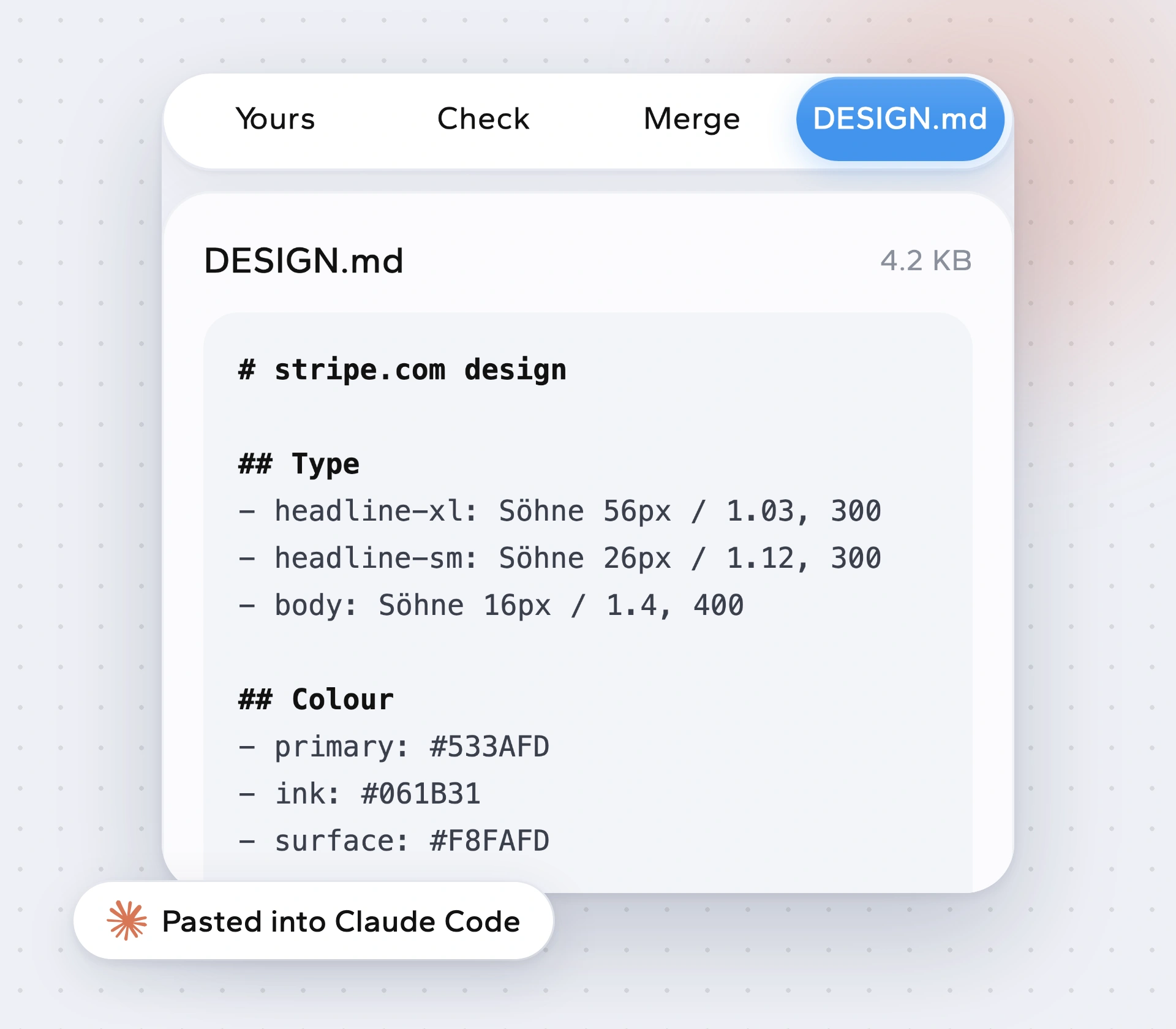
What your AI receives
A DESIGN.md with colours by role, type scale, spacing, corners, shadows and main components, plus token files if your project wants them. For tools that take images, a screenshot can go along so the AI can see the look.
Borrow the system, not the brand
Using AI to copy a whole website, logo and words included, isn't what this is for. Use Borrowstyle to learn why a design feels right and give your own product that quality. Make it yours (Pro) swaps your colours and fonts in before you paste.
Then check the result
Check my build (Pro) compares what your AI built with the source design, so you can see where spacing or type drifted.
How to copy a website's style into Cursor
Open the site you like.
Click the icon to read it.
Press Copy for AI and choose Cursor (or v0, Lovable, Bolt, Claude, ChatGPT).
Paste into your chat or save as DESIGN.md in your project, then build.
Questions
Which AI tools does it support?
Claude, ChatGPT, Cursor, v0, Lovable and Bolt.
Is Copy for AI free?
Yes.
Does it clone the website's code?
No. It reads the design system and gives your AI a brief. Component code for a single element you click is Pro.
Can I combine two sites?
Yes, whole-site merge is Pro.
Does it work on localhost?
Yes, it reads whatever is open in your tab.
Keep reading
Borrow the system, not the brand.
Free to use. Pro from $5 a month or $39 once. Works in Chrome, Edge, Brave and Arc.