
See any website's fonts and colours, all at once
Most tools give you one colour or one font per click. Borrowstyle reads the whole page and shows every font with its sizes and weights, and every colour with the job it does and how much of the page it covers.
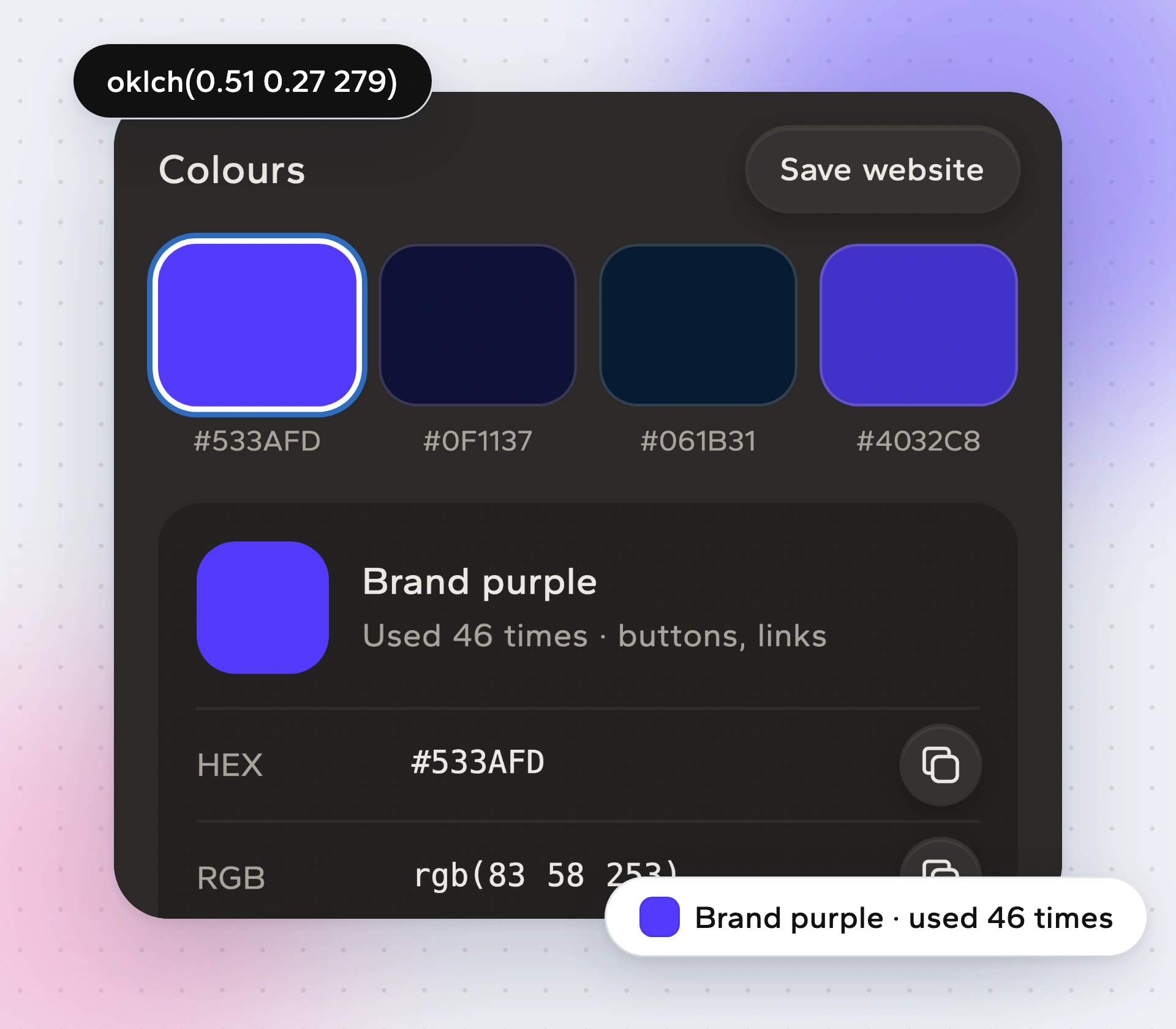
The whole palette, with roles
Colours come back named: primary, surface, text, border, accent. You also see each colour's share of the page, so you can tell the brand colour from a one-off badge.
Fonts, the way they are actually drawn
Hover any text to see its font. The Read screen lists each type style with size, weight and line height. When a font is paid, Borrowstyle names it and suggests a free stand-in, because paid fonts need their own licence.
Copy it where you need it
- Copy a single hex or font with one click.
- Copy the whole set for your AI tool with Copy for AI.
- Take it as
variables.css,tailwind.config.js(Tailwind config) or Figma variables (design tokens for Figma).
How to find a website's fonts and colours
Open the website.
Click the icon. Fonts and colours appear in about half a second.
Hover any text on the page for its font. Press K for tools.
Copy one value, or take the whole palette as a file.
Questions
Is it free?
Yes. Colours, fonts and Pick are free.
Can I use the same fonts?
Free fonts, yes. For paid fonts, buy a licence or use the free stand-in Borrowstyle suggests.
Does it work on dark mode sites?
It reads what the browser has drawn, so you get the colours that are on screen when you click.
Does it work in Edge, Brave and Arc?
Yes, plus Chrome. Firefox and Safari are not supported yet.
How is this different from an eyedropper?
An eyedropper gives you one pixel. Borrowstyle gives you the full set with roles and type sizes.
Keep reading
Borrow the system, not the brand.
Free to use. Pro from $5 a month or $39 once. Works in Chrome, Edge, Brave and Arc.