 Chrome extensionFree, Pro from $5
Build your website in the style of one you love.
Open any website you like. Borrowstyle reads its fonts, colours and layout and hands them to your AI tool, so what it builds looks like that site instead of a guess.

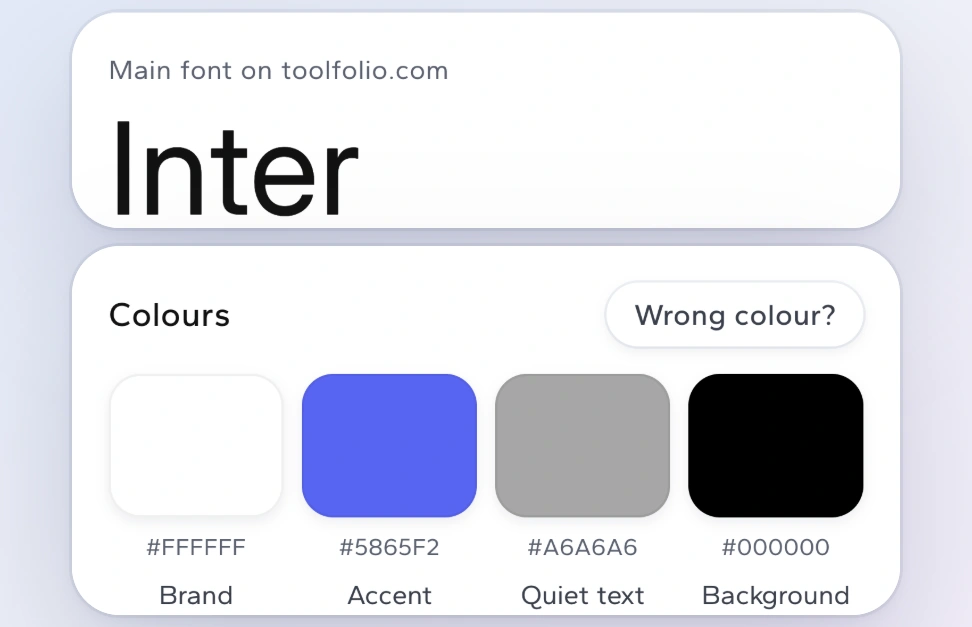
Example: toolfolio.com and the Borrowstyle panel for it. Its headline font is Inter and its main button is white #FFFFFF. Both are found, named, and ready to copy for your AI.
Works with the AI tools you already use
 Claude CodeClaude
 ChatGPT
 Cursor
 Lovable
 v0
v0 BoltPlain text
Three steps, about a minute.
No design skills needed. If you can open a website, you can use Borrowstyle.
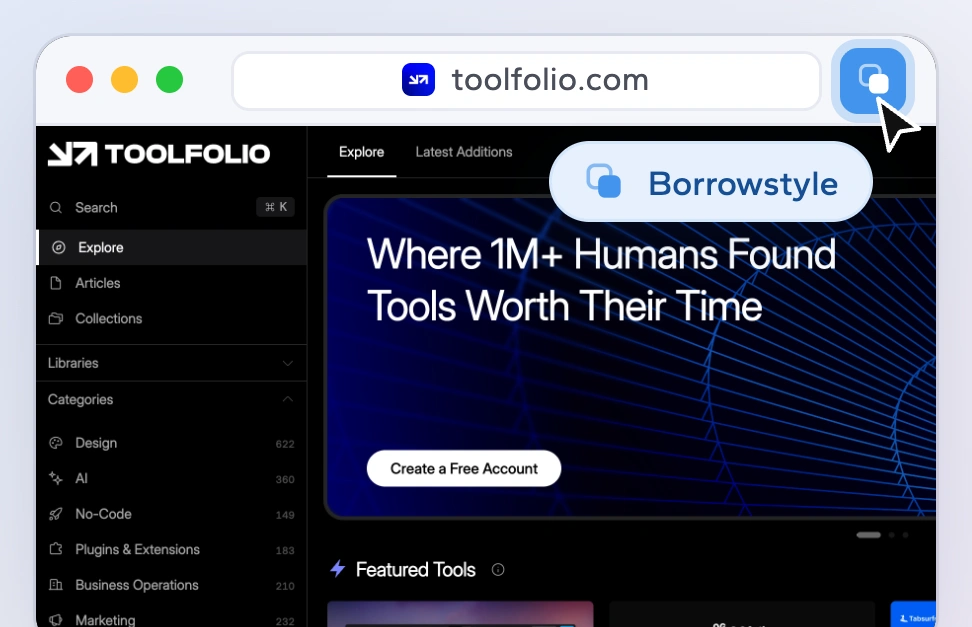
Open a site you like
Click the Borrowstyle icon in Chrome. It reads the page in a second or two and changes nothing on the site.
See its style, in plain words
Its main font and its colours are shown in plain words, each colour with its job, like Brand or Background.
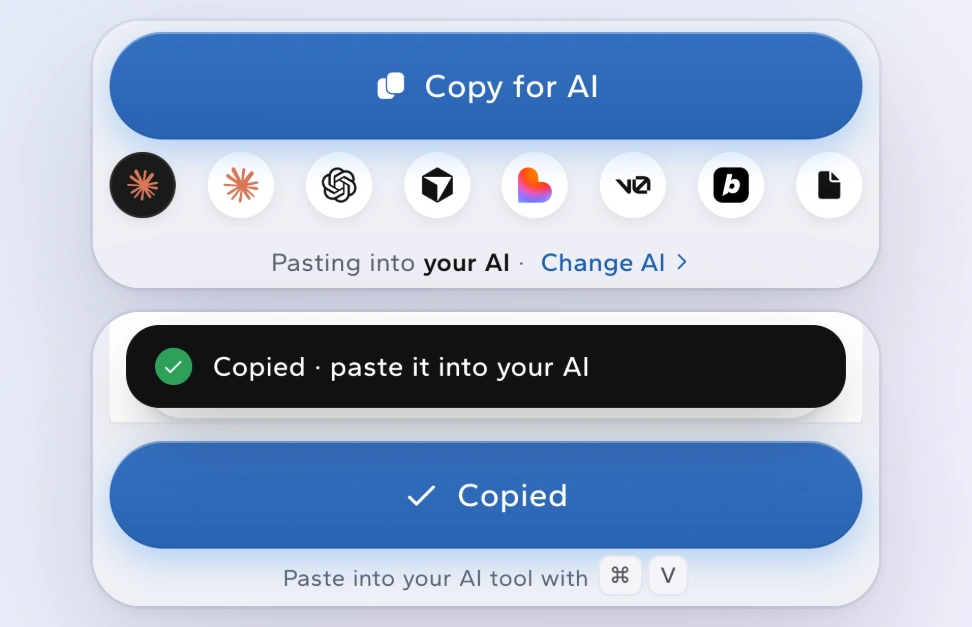
Hand it to your AI
Press Copy for AI, then paste into Claude, Cursor, Lovable, v0 or Bolt. Your AI now builds in that style.
Everything about a site's look, without reading its code.

The fonts and colours, named
The main font, Inter, with its main text sizes, and each colour with its job: brand, accent, background. Click a colour to copy it.

Any button or card, explained
Click a part of the page to see its size, font, colours, corners and padding, and how it looks when you hover.

Every image and icon, in one zip
Save all the pictures, icons and logos on a page, plus a picture of the whole page.

A style file for your AI
DESIGN.md and 4 more files that tell your AI which fonts, colours and spacing to use. Download them as often as you like.

Their layout, your brand Pro
Swap in your own colour and font before you copy, so your AI builds their layout in your look.

A check against your own site Pro
See where your site differs from the one you like, with a score and fixes your AI can apply.
What is DESIGN.md? A plain text file that describes a site's look: its fonts, colours, spacing and button shapes. AI coding tools read it the way a new designer reads a style guide, and then build to match.
Paste it into the tool you build with.
Pick your tool in Borrowstyle, press Copy for AI, and paste. Each tool gets the file in the shape it understands. Plain text works anywhere else.
Claude CodeIn your terminalClaudeNew chatChatGPTNew chatCursorChat or a ruleLovableNew or existing projectv0ChatBoltChatEverything above is free. Pro adds six extras.
Read as many sites as you like, copy for AI and download the style files with no limit. Pro adds these six tools. Try each one 3 times a month for free, then pay $39 once or $5 a month, for up to 3 computers.
Private by design
Borrowstyle works inside your browser. The pages you read are never sent to us, there is no account and no sign-up.
Read the privacy pageHow it compares with similar tools.
| What you get | Borrowstyle |  Woblo Woblo |  MiroMiro MiroMiro |
|---|---|---|---|
| Reads the fonts and colours of a page | Yes | Yes | Yes |
| Gives your AI a style file to follow | DESIGN.md + 4 more files | Yes, for Tailwind, shadcn or your AI tool | Code, not a brief |
| Swaps in your own colour and font | Use my brand (Pro) | No | No |
| Checks your site against the one you like | Score and fixes (Pro) | No | No |
| Saves every image and icon in one zip | Yes | — | — |
| Sends the page to a server | Never | Cloud tool | Cloud tool |
| Price | Free; Pro $39 once or $5 a month | $7 a month | €9 a month or €69 once |
Woblo also exports a whole site’s style, for Tailwind, shadcn or your AI tool. MiroMiro turns a site into Tailwind, React or Vue code. Prices and features change — check each tool for its current details.
Free to use. Pro is $39 once or $5 a month.
One payment · no refunds · tax added where it applies
Payments are handled by Ext Watch, our billing partner. Your card statement shows EXT WATCH.
What similar tools cost
The cheapest paid plan of each, checked on 18 October 2026.
| Tool | Cheapest paid plan | Pay once |
|---|---|---|
| Borrowstyle Pro | $5 a month | $39 |
| Woblo | $7 a month | None |
| MiroMiro | €9 a month | €69 (offer said to close 31 Oct) |
 html.to.design html.to.design | $12 a month, billed yearly ($18 monthly) | None |
 CSS Peeper CSS Peeper | $2.49 a month, billed yearly | None |
 Hoverify Hoverify | $30 a year | $89 |
 CSS Scan CSS Scan | None | $59 |
 Site Palette (Chrome Web Store listing) Site Palette (Chrome Web Store listing) | $30 a year | $99 |
Prices change. Check each tool for its current price. Woblo and MiroMiro copy a whole site’s design into code, like Borrowstyle; the others do part of the job.
Frequently asked questions
Quick answers about pricing, privacy, setup and more.
What does Borrowstyle do?
It reads the design of the website you are looking at: fonts, colours, sizes, spacing, corners, shadows and buttons. Then it turns that into files and prompts your AI coding tool, Figma or your own code can use.
Which AI tools does it work with?
Copy for AI has ready formats for Claude Code, Claude, ChatGPT, Cursor, Lovable, v0 and Bolt, and Plain text for Shopify, Wix, WordPress or a designer. The DESIGN.md file works with any tool that reads text.
Is it free?
Yes. Everything without a Pro badge has no limit, forever: capturing sites, Styles, Inspect, Copy for AI, the design files, images and the small tools. Pro is 6 tools. Each one works 3 times a month in total, not 3 per site, then $39 once or $5 a month.
Can I try Pro before I pay?
Yes. Each Pro tool works 3 times a month for free, in total across all sites, and its button shows what's left, like "Pro · 2 left". A try counts only when you copy the result or its download starts.
Can I get a refund?
No, all sales are final. That's why every Pro tool can be tried 3 times a month before you pay.
Does anything leave my computer?
No page content is sent to us: what Borrowstyle captures stays in your browser. Only two small things reach borrowstyle.com: a check of your Pro key about once a day, if you have one, and one visit when you install or remove it, with a random number instead of your name. The privacy page has the details.
Do I need an account?
No. There is no sign-up and no login.