
Everything a website's design can give you
Read the look, pick any part, make it yours, and take the files to your AI, Figma or code.
Extract every font, colour and size in half a second
Open any website and click once. Borrowstyle measures what the browser actually draws, not what the code hopes for.
- Main font with its real sizes, weights and line heights
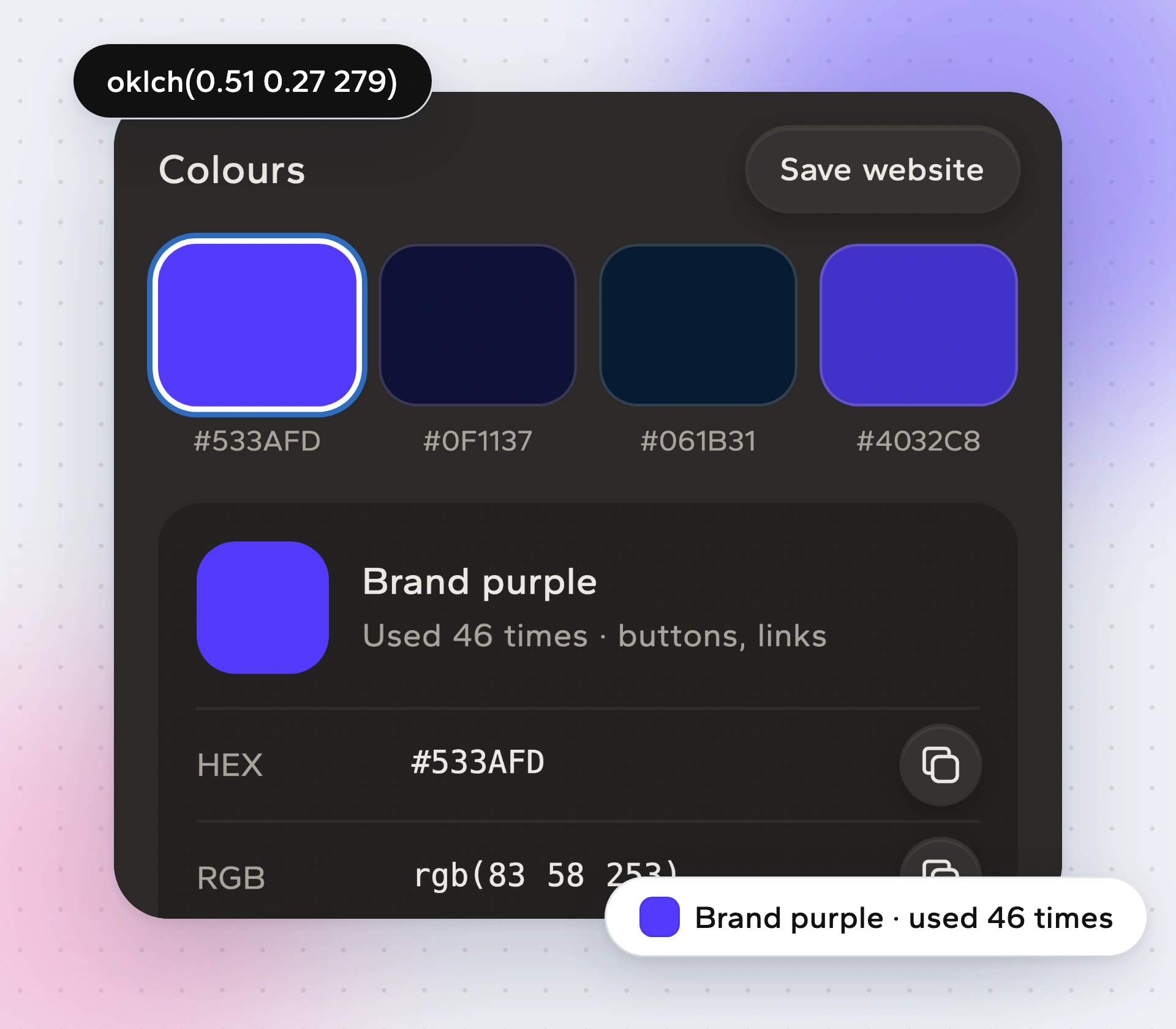
- Every colour, named by its job and how often it is used
- Copy any colour as HEX, RGB, HSL, OKLCH or Tailwind
- A quick check: contrast, too many text sizes, spacing grid
Inspect any element: size, font, colour, spacing, shadow
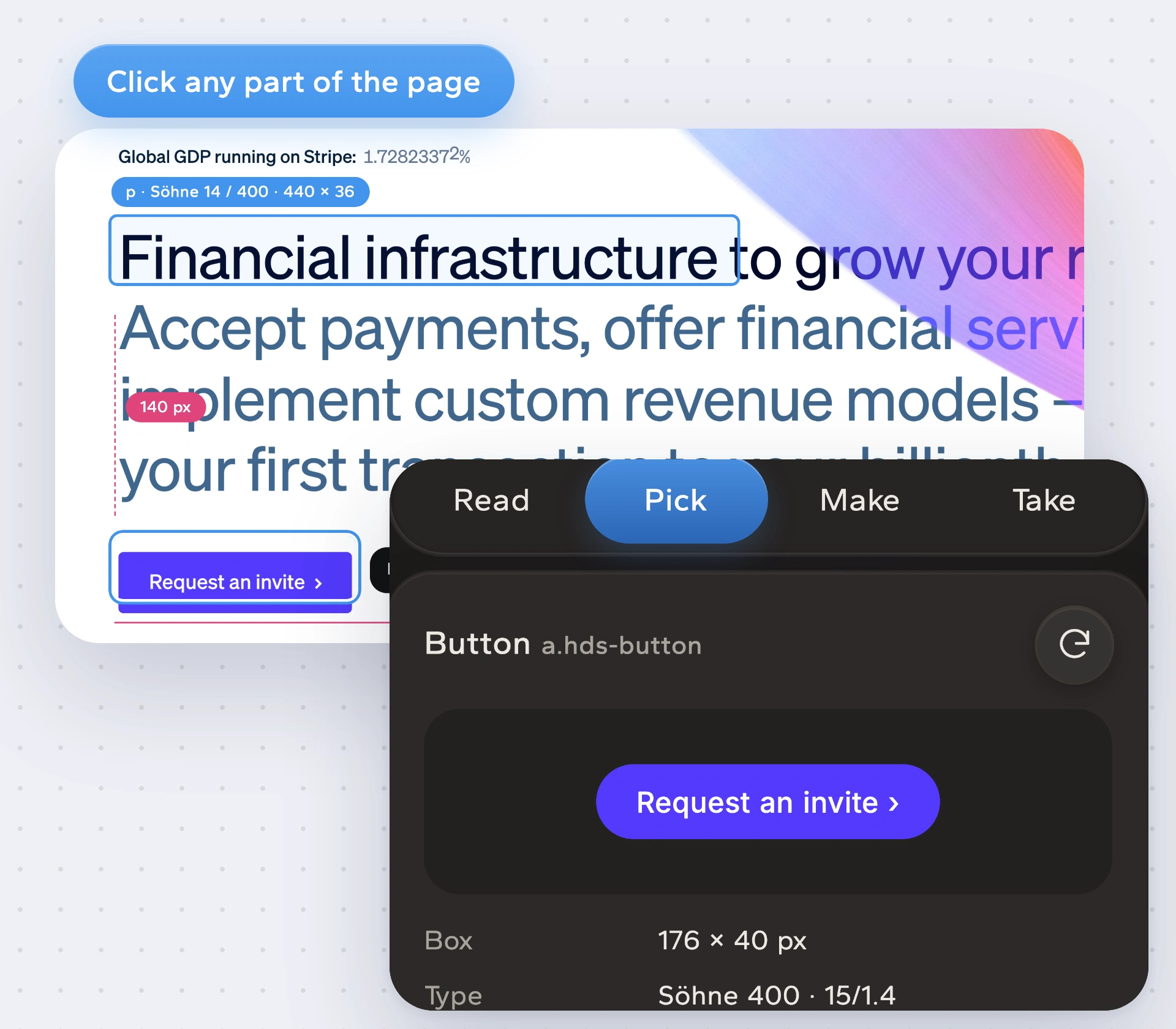
Click a button, card or heading on the page. Borrowstyle shows its size, font, colour, spacing, corners and shadow, and writes the code for it.
- Size, type, colour, spacing, radius and shadow of any element
- Component code as HTML, Tailwind, React or CSS
- Walk up and down the page with the keyboard
- Ruler to measure the space between two things
Keep the structure. Make it yours.
Swap in your own brand colour, font and corners and get a full design system back. Then check your own build against the site you love.
- Make it yours: your colour, font and corner style, full colour scales
- Check my build: a score and a list of fixes for your AI
- Whole site merge: type from one site, colours from another
- A DESIGN.md your AI coding tool follows

Export tokens.json, Tailwind config, CSS variables and Figma variables
Download a developer pack for any tool, save every image and icon on the page, and copy straight into the AI tool you build with.
- Developer pack: tokens.json, tailwind.config.js, variables.css, Figma variables, shadcn theme, DESIGN.md
- Every image, icon and logo on the page, saved in one zip
- Full-page and phone-width screenshots
- Copy for AI to Claude, ChatGPT, Cursor, v0, Lovable or Bolt

Copy for AI: Claude, ChatGPT, Cursor, v0, Lovable, Bolt

 ClaudeClaude Code
 ChatGPTChatGPT · Codex
 CursorRules file
 v0Prompt
 LovableKnowledge
 BoltPrompt
Press K for every tool.

Font specimen
The site's real font with every size, weight and line height, plus a similar free font when it's paid.

Check my build
Compare your localhost to the site you love. A score and fixes your AI can apply.

Whole site merge
Type from one site, colours from another, parts from a third. One system.

DESIGN.md
A plain file your AI coding tool reads and follows on every screen.

Developer pack
tokens.json, Tailwind, CSS variables, Figma variables and a shadcn theme.

Tools on K
Pick a colour, which font is this, measure, save images, clone code.

Device simulator
Open the site at the exact size of 84 phones, tablets and laptops.

Loupe on the page
Hover any text for its font. Click for the full spec card.
Saved websites
Keep every site you borrow from, stored on your own computer.
Colour picker
Pick any colour on screen, even inside images.
Private by design
Runs only when you click. No account, no analytics, nothing sent to us.
Quiet, fast and yours
A floating Aa button, capture on open, Site Light that tints the panel with the site colour, and an optional soft sound when you copy.
How it works
Open a site you like
Click the Borrowstyle icon or press Alt Shift D. It reads the page in about half a second.

Look, pick, adjust
See the fonts and colours, click any part of the page, or swap in your own brand.

Copy for AI
Choose where you build and paste. Your AI now has the design, not a vague description.
